Accumulating Snapshot Fact Table
An Accumulating Snapshot Fact Table is used to track processes or workflows that have a definite beginning and end but take place over time. It allows you to capture the state of a process at different stages and update facts as the process progresses.
A classic example of an accumulating snapshot is in the order processing workflow, where we track the progress of an order from placement through to fulfillment and shipping. The fact table accumulates data as each order moves through various stages.
Amazon Order.. what happened at several time intervals.
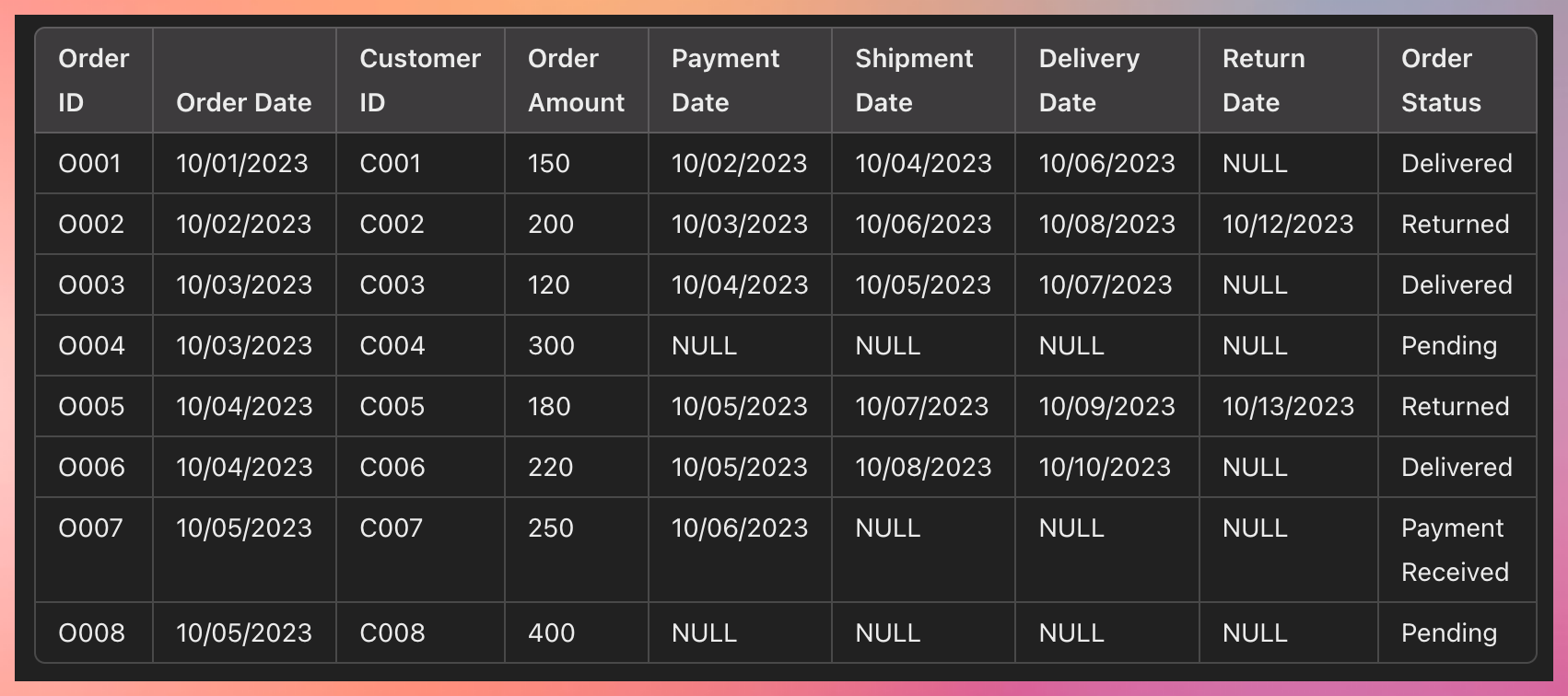
As the process moves from one step to another, these get updated.
Accumulating snapshot always has different date fields denoting multiple stages of the process.
Use Cases
Track Returns: You can easily track which orders have been returned by checking the Return Date and filtering by Order Status = "Returned."
Monitor the Order Workflow: You can monitor the progress of orders through the entire workflow by checking how long it takes from Order Date to Payment Date, Shipment Date, Delivery Date, and Return Date (if applicable).
Calculate Performance Metrics: Calculate metrics like average delivery time, return rates, or the percentage of orders that are still pending or awaiting shipment.
Example Queries
Find all returned orders: Query for orders where Return Date is not NULL.
Calculate time from order to delivery: Subtract Order Date from Delivery Date to calculate how long deliveries take.
Track pending orders: Filter where Order Status is "Pending" or Shipment Date is NULL.
Another example: Hospital entry
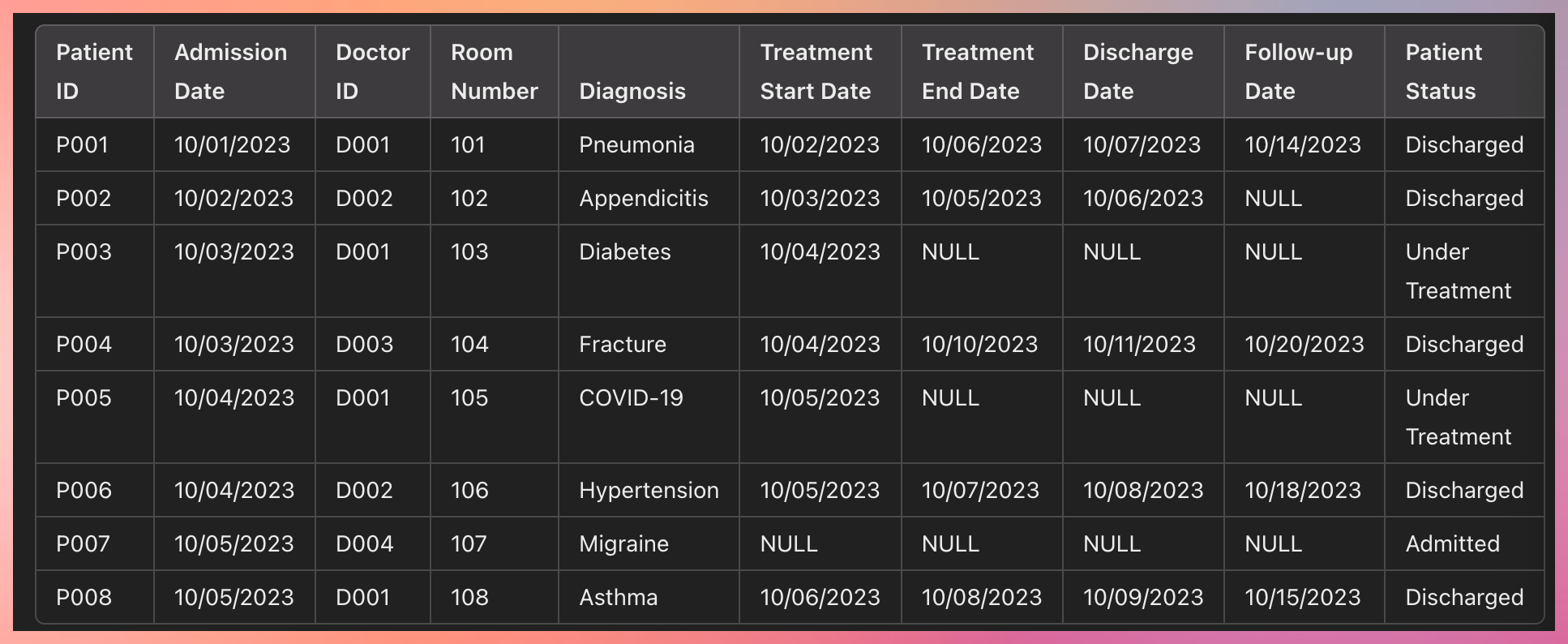
How the Accumulating Snapshot Works:
Row Creation: A new row is created when the patient is admitted, with basic information like Admission Date, Doctor ID, and Diagnosis.
Row Updates: As the patient's treatment progresses, additional fields like Treatment Start Date, Treatment End Date, Discharge Date, and Follow-up Date are updated.